
Twitter Video Downloader
Download Twitter videos & GIFs from tweets
Our Twitter Video Download tool is designed to help you easily download videos from Twitter. It is user-friendly, free to use, and requires no software installation. With our tool, you can download videos in a variety of formats and qualities, making it ideal for content creators, educators, and marketers. We provide clear and concise instructions to ensure a smooth downloading process and are always ready to answer any questions you might have.
Features of Twitter Video Download
- No software installation required
- Supports multiple video formats
- High-quality video downloads
- User-friendly interface
How to Save Video with Twitter Video Downloader?
Note: Find the Twitter video: Locate the video you want to download on Twitter.
1 Copy the video URL: Click on the share button and copy the video’s URL.
Paste the URL: Paste the copied URL into the provided field on our website.
2 Open the downloader: Go to our Twitter Video Download tool website.
Select format and quality: Choose your preferred video format and quality.
Why Do We Use It?
Using our Twitter Video Download tool offers several benefits. It allows you to easily save videos for offline viewing, which is perfect for content creators who need to repurpose content, educators who want to use videos for teaching purposes, and marketers who wish to analyze video content. The tool is free and requires no software installation, making it accessible to everyone. It supports various formats and qualities, ensuring you get the video in the best possible way for your needs. Additionally, the user-friendly interface and straightforward instructions make it easy for anyone to use.
Where Can I Get Some?
You can access our Twitter Video Download tool online through our website. There's no need to download or install any software. Just visit our website, follow the instructions, and you’ll be able to download Twitter videos in no time. Our service is available anytime and is designed to be as user-friendly and efficient as possible.
How to Download Video from Twitter Without Watermark?
To download a video from Twitter without a watermark, follow these steps. First, find the video on Twitter and copy its URL by clicking on the share button. Then, go to our Twitter Video Download tool's website. Paste the copied URL into the input field on the site. Select your desired video format and quality from the available options. Ensure that the option for downloading without a watermark is selected. Finally, click the download button to save the video to your device. This process ensures you get a clean, high-quality video without any watermarks.
Do I Have to Pay to Use Twitter Downloader Without Watermark?
No, you do not have to pay to use our Twitter Video Downloader without a watermark. Our tool is completely free to use. We aim to provide a valuable service that is accessible to everyone, so there are no hidden fees or charges for downloading videos from Twitter. You can download as many videos as you like, in various formats and qualities, without any cost.
FAQs
Can I download videos from private Twitter accounts?
No, our tool only supports downloading videos from public Twitter accounts.
Is there a limit to how many videos I can download?
No, you can download an unlimited number of videos using our tool.
Are there any restrictions on the video quality I can download?
No, you can choose from a range of video qualities depending on what is available for the video.

How do video downloaders without watermarks enhance content repurposing?
Video downloaders without watermarks are super helpful for making new things with videos you find online. Here’s how they make it easier: Clean Videos: When you download a video without a watermark, it doesn’t have any extra logos or words on it. This means you can use it more freely in your own projects without those distractions. Professional ..
How to troubleshoot common issues with video downloading tools?
If you're having problems with video downloading tools, here are some easy fixes to try: Check Your Internet: Make sure you have a strong internet connection. Sometimes slow internet connection can cause download problems. Restart Your Device: Turning your computer or phone off and on again can fix small issues with the downloading tool. Clear ..

What are the advantages of using a no-software-required video downloader?
Using a video downloader that doesn't need any special software has lots of good things about it. First, it's easy to use because you don't have to install anything on your computer or phone. You just go to the website and start downloading videos. Another advantage is that it saves space on your device. Since you're not adding extra software, you ..
How to ensure the best quality when downloading videos from Twitter?
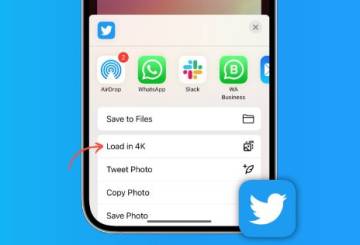
When you download videos from Twitter, you want them to look the best they can. Here are some tips to make sure you get the best quality: Choose the Right Format: Pick a format that works well on your device. MP4 is usually a good choice because it works on almost everything. Check the Resolution: Resolution means how clear the video is. Higher ..

What are the differences between various video formats and qualities?
There are many different video formats and qualities. Formats are like the type of file a video is saved as. Some common formats are MP4, AVI, and MOV. MP4 is popular because it works on almost all devices like phones, tablets, and computers. AVI and MOV are also good, but they might not work on all devices without special software. Video quality means ..

How can marketers leverage downloaded Twitter videos in their strategies?
Marketers can use Twitter videos they download in many smart ways. First, they can share these videos on other social media sites like Facebook or Instagram. This helps them reach more people because not everyone uses Twitter. Next, they can use these videos to make new content. For example, they can take clips from the videos to create short ads or ..